
MePic-AI Photo Video Generator
Ocean Float MobileArt & Design
4.51.16K Reviews
- Version
- 4.7
- Installs
- 5.00M
- Age Rating
- Everyone
Screenshots


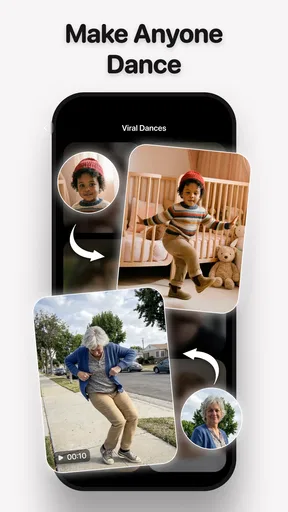


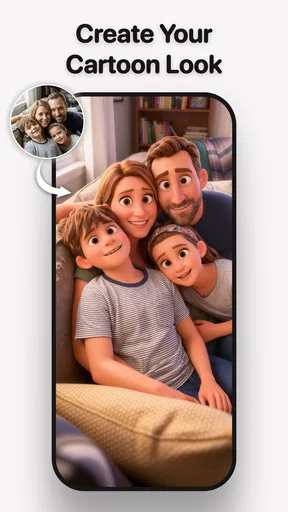

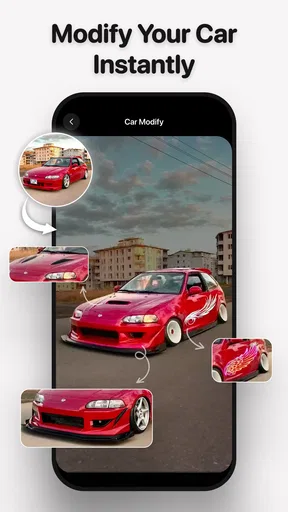
Our Review of MePic-AI Photo Video Generator
 Analysis by Appyee
I often want to make a quick change to a photo while I’m already on my phone, rather than send it to a desktop editor or learn a complicated tool. That’s the appeal of MePic-AI Photo Editor, Video: it brings AI-assisted image transformations, filters and basic video work together in one mobile app. It is an approachable option for playful edits and social-ready clips, though I would treat its suggestions as a starting point rather than expect precise, professional control.
When a connection shapes the editing session
AI-led transformations are the part of an editor most likely to make connectivity relevant: the app needs to process a request somehow, and a stable connection is a sensible thing to have ready when exploring those tools. I’d avoid starting a time-sensitive batch of edits while moving between weak networks. If an effect takes longer than expected, it is better to wait for a steady connection than repeatedly tap the control and risk making the workflow confusing.
That matters most when I’m trying several looks on one picture. I choose the source image first, then test a small number of distinct treatments instead of firing off every option at once. It makes comparisons easier and avoids spending time on variations I was unlikely to use. For a simple crop or a familiar filter, I’d begin with the least elaborate edit and move to AI transformations only if the photo needs a more noticeable change.
A practical fit for phone-first creativity
MePic is an art and design app from Ocean Float Mobile. It is free to download, has an Everyone age rating, and its version 2.6 requires Android 6.0 or later. The app has an average rating of 4.2 from around 13,000 ratings, with over a million installs. Those figures suggest that it has found a broad audience, but they do not tell me whether its particular style of editing will suit your taste.
In everyday use, I can see it fitting a lunch-break task: pick a portrait, try an art effect, adjust the strength until it still looks like the person, then save a version for sharing. For a short video, trimming a clip and adding text or music makes more sense when I already know the moment I want to highlight. On a phone, keeping the job focused is useful; a handful of deliberate changes is easier to judge than a long chain of effects.
Waiting, retries and a sensible workflow
AI suggestions can be convenient, but they also introduce an element of waiting that ordinary sliders do not. If a transformation stalls, I would check the connection before assuming the photo itself is the problem. I’d also keep the original image untouched and work from a copy when the result matters. That gives me an easy way back if an effect changes a face, texture or color more than I intended.
For video, I’d make the rough cut before adding decorative elements. Trimming and arranging the useful footage first helps keep the final clip coherent, while music, text and filters are easier to assess once the timing is settled. This order is a small but worthwhile habit: it reduces the chance of spending effort polishing a segment I later remove.
Costs, privacy-minded choices and limits
The download is free, but in-app purchases range from $4.99 to $119.99 per item. I’d explore the basic editing flow before paying for anything, and check the price shown for a specific purchase before confirming it. That range is wide enough that it is worth treating paid options as a deliberate decision rather than assuming every tool is included at no cost.
As with any app used to transform personal photos or videos, I’d choose the images I’m comfortable editing and sharing, and review the app’s current privacy information before uploading sensitive material. I would not use a casual effects editor for private documents or images that need strict handling. If you are conserving mobile data, save larger editing sessions for a reliable Wi-Fi connection where practical, and avoid repeatedly retrying an operation that appears stuck.
Unleashing Creativity with AI
So, what does MePic-AI Photo Editor, Video bring to the table? Well, quite a bit, to be honest. At its core, the app is designed to let you transform ordinary pictures into extraordinary ones. It’s like having a personal photo editor in your pocket, ready to sprinkle some magic on your memories.
One of the standout features is its AI enhancement. Now, I know what you're thinking: "AI? Really?" But trust me, this isn’t just a buzzword here. The app intelligently analyzes your photos and suggests edits that make them pop. Whether it's adjusting the lighting, sharpening the image, or enhancing colors, the AI does a stellar job.
Filters and Effects Galore
No photo editing app is complete without a solid selection of filters and effects, and MePic delivers in spades. With a plethora of options to choose from, you can easily find the perfect vibe for your snap. Feeling artsy? Try the oil painting effect. Want to capture that vintage feel? There's a filter for that too.
What I love about these filters is how they can be customized. You’re not just slapping on a filter and calling it a day. You can tweak the intensity and even layer multiple effects to create something uniquely yours. It’s a little like having a mini Photoshop at your fingertips.
Video Editing Features
But wait, there’s more! MePic isn’t just about photos; it’s got some impressive video editing chops as well. The app allows you to trim, cut, and merge videos seamlessly. Plus, you can add music, text, and filters to create short clips that are sure to dazzle your followers.
I had a blast testing out the video features. The interface is intuitive, making it easy to edit even if you’re not a seasoned pro. The AI also steps in here, suggesting edits and effects that match the mood of your video. It’s like having a director whispering in your ear, but without the Hollywood price tag.
User-Friendly Interface
One of the things that really stood out to me about MePic is its user-friendly interface. The layout is clean and straightforward, so you won’t find yourself tapping around aimlessly trying to figure out what to do next. Every tool is easily accessible, and the learning curve is minimal.
Even if you’re someone who usually gets overwhelmed by tech, MePic makes photo and video editing feel like a breeze. It’s clear that the developers put a lot of thought into making the app accessible to everyone, regardless of their tech-savvy level.
Why You Should Give It a Try
In a world where we’re constantly capturing moments on our phones, having a solid editing app like MePic can really set your content apart. Whether you’re prepping your next Instagram post or just want to give your vacation photos a little extra love, this app has the tools you need.
So, if you’re ready to dive into the world of photo and video editing, I’d definitely recommend giving MePic a whirl. With its powerful AI features, customizable effects, and easy-to-use interface, it’s got everything you need to take your multimedia game to the next level. Download it today and start creating!
Where it fits among editing alternatives
I’d place MePic between a simple filter app and a full desktop-style editor. Its mix of AI effects and straightforward video tools is useful when the goal is a quick, expressive result, not a carefully controlled production. A basic gallery editor is usually faster for a crop, exposure correction or small adjustment; a more advanced editor is the better choice when I need detailed masking, precise color work or a repeatable workflow across many images.
The useful trade-off is convenience versus control. MePic’s effects can help me discover a look I would not have built from scratch, but a suggested transformation may also push a photo toward a more artificial style than I want. I’d compare the edited version with the original before sharing, especially with portraits. Lowering the effect strength is often a better choice than stacking more treatments on top.
Small decisions that improve the result
For a consistent set of pictures, I would pick one reference image first and settle on its general look before editing the rest. That helps me avoid ending up with a gallery where every image has a different color mood. I’d also keep a clean original and make a separate edited copy; this is particularly helpful when experimenting with layered filters, since the finished image can become harder to revise once several choices have accumulated.
For a profile picture, I’d start with a well-lit, sharp source rather than ask an effect to rescue a blurry one. AI enhancement may improve the impression of clarity or color, but it is not a substitute for a good starting photo. For a social video, I’d make sure the text remains readable against the footage and that the music supports rather than competes with the moment. These checks take little time and usually matter more than adding another effect.
Who will enjoy it, and who may prefer something else
I think MePic makes the most sense for someone who likes trying different visual styles, wants a friendly place to make quick edits, or needs a short video assembled without moving between several apps. It is also a reasonable choice for casual creators who value experimentation over exact technical adjustments. The free download lowers the barrier to trying its workflow, while the in-app purchase range means I would still look carefully at any paid option before committing.
I would steer away from it if your main requirement is precise, professional photo retouching, extensive timeline control, or a dependable editing process for important client work. In those cases, a dedicated editor with the controls you need is a safer fit. I’d also choose a simpler tool if I only wanted to crop a picture once in a while; opening a feature-rich creative app for that tiny task may be unnecessary.
Making a mobile session less frustrating
A realistic use case is editing a few travel photos during a quiet moment at a café. I’d first select the pictures that actually tell the story, then work through them one at a time: correct the overall feel, try a filter, reduce its intensity if it overwhelms the scene, and save only the versions I’d genuinely share. If I wanted a short video too, I’d trim it before adding text or music and leave a little time to review the result on the phone screen.
That kind of session is also where network conditions can affect patience. I would start AI-heavy experiments when I have a stable connection and enough time to let them finish, rather than when I’m rushing to post. If the app seems unresponsive, I’d pause, check connectivity and reopen the editing flow only if needed instead of tapping repeatedly. Keeping the original files gives me a recovery path if a transformation or edit does not turn out as expected.
My overall take is that MePic is most appealing as a playful, phone-first editor, not as a replacement for every photo or video tool. Its combination of AI transformations, adjustable effects and approachable controls makes it easy to explore, while connectivity, purchase choices and the limits of automated edits are worth keeping in mind. If you want creative options for casual portraits, social posts and short clips, I’d give it a try; if precision and deep control come first, I’d look elsewhere.
Verdict
Strengths of MePic-AI Photo Video Generator
- User-friendly interface, easy to navigate.
- Wide range of AI editing tools available.
- Quick processing of photos and videos.
- High-quality output with minimal effort.
- Regular updates with new features added.
Limitations of MePic-AI Photo Video Generator
- Requires internet for most features.
- Ads can be intrusive during editing.
- Some features locked behind paywall.
- Limited support for older devices.
- Occasional glitches on large files.
Other Releases by Ocean Float Mobile
View All
Shopping All-in-one: Compare
Shopping4.1

Lumy-AI Photo Video Generator
Art & Design4.6
Similar Picks in This Category
View All
Canva: AI Photo & Video Editor
Canva4.8

PENUP – Drawing-sharing SNS
Samsung Electronics Co., Ltd.4.5

Crafto
Kutumb App4.6

Sketchbook
Sketchbook4.1

ibis Paint X
ibis inc.4.5

Adobe Express: AI Photo, Video
Adobe4.6
Frequently Asked Questions
What features does MePic-AI Photo Editor, Video offer?
MePic-AI Photo Editor, Video provides a comprehensive suite of editing tools powered by AI technology. Users can enhance their photos and videos with features such as filters, background removal, and facial retouching. Additionally, the app offers creative tools like stickers, text overlays, and artistic effects to make your media stand out.
Is MePic-AI Photo Editor, Video free to use?
While MePic-AI Photo Editor, Video offers a free version with basic features, some advanced tools and effects require a subscription or one-time purchase. Users can explore the premium features through a trial period to determine if the additional resources meet their creative needs before committing.
How user-friendly is the app for beginners?
MePic-AI Photo Editor, Video is designed with a user-friendly interface, making it accessible for beginners. The app provides guided tutorials and tooltips to help new users navigate and utilize the various features effectively. This ensures that even those with minimal editing experience can achieve professional-looking results.
Is MePic-AI Photo Editor, Video available on both Android and iOS?
Yes, MePic-AI Photo Editor, Video is available for download on both Android and iOS platforms. This ensures that users across different devices can access the app's powerful editing capabilities. Check the compatibility of your device and operating system version to ensure smooth performance.
Does the app support social media sharing?
MePic-AI Photo Editor, Video supports direct sharing to popular social media platforms. Users can easily export their edited photos and videos and instantly share them on networks like Instagram, Facebook, and TikTok. This feature makes it convenient for users to showcase their creativity with friends and followers.
